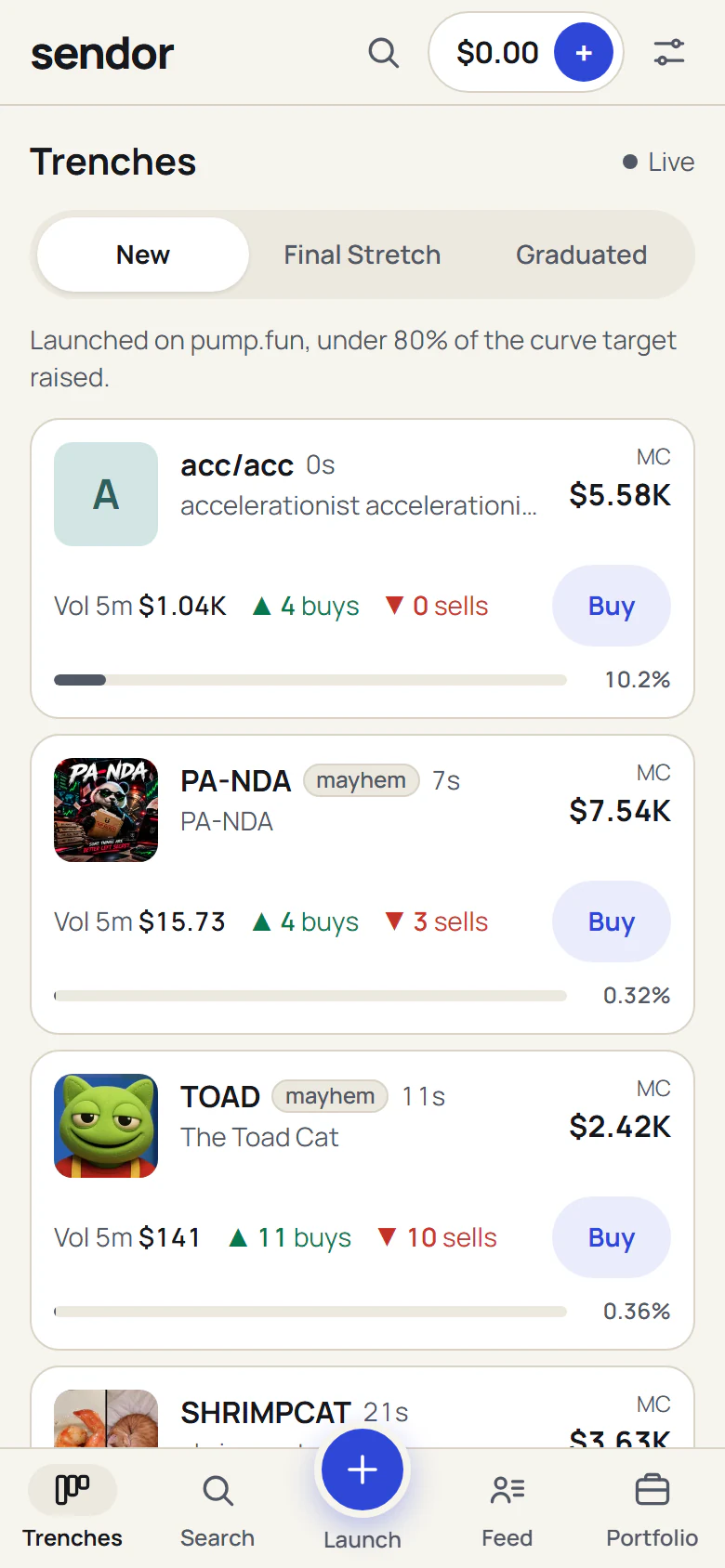
Trenches
New pump.fun coins as they launch, coins in the Final Stretch (80% of the curve raised) and coins that graduated. Filters for dev, sniper, bundler and insider wallets.
A memecoin terminal and launchpad on Solana
Send dollars to @sendorapp in X Money, then trade or launch pump.fun coins from a dollar balance in your own wallet. No card fees, no bank wait.

How it works
Your dollars leave X Money, and USDC lands in a wallet that is yours.
You get your own Solana wallet. You can export its key at any time.
In the X app, open Money, tap Send Money and pay @sendorapp the amount sendor shows you, with the note code. The payment goes to sendor’s X Money account. We then send the same amount in USDC, a dollar stablecoin, to your own wallet.
Buy and sell pump.fun coins from your dollar balance, or launch your own coin. Cash out to X Money when you want dollars back.
Adding dollars is free. The smallest payment is $20. Deposits and cash outs, step by step

What you can do
New pump.fun coins as they launch, coins in the Final Stretch (80% of the curve raised) and coins that graduated. Filters for dev, sniper, bundler and insider wallets.

Buy with dollar presets. Sell 25, 50 or 100%. Auto slippage and MEV protection are on by default, and every trade says sent, landed or failed, with the reason.

Name, ticker, image and a first buy in dollars, live on pump.fun. Creating the coin is free. How launching works

Send USDC from your wallet and we pay dollars to your X account by X Money. The fee is 1% plus $1.
Web and desktop
Three column trenches, and a coin page with the chart, trades, holders and top traders beside the trade panel. Same account, same wallet.

Fees
No platform token. pump.fun and the Solana network charge their own fees, and the app shows every fee before you confirm.
| What | Details | Fee |
|---|---|---|
| SwapOn every buy and every sell, taken inside the trade. | On every buy and every sell, taken inside the trade. | 0.5% |
| Adding dollarsDeposits cost nothing. | Deposits cost nothing. | Free |
| Cash out to X MoneyTaken from the amount you cash out, shown before you confirm. | Taken from the amount you cash out, shown before you confirm. | 1% plus $1 |
| Launching a coinCreating a coin costs nothing. Your first buy at launch (the dev buy) is a buy, so it pays the 0.5% swap fee. | Creating a coin costs nothing. Your first buy at launch (the dev buy) is a buy, so it pays the 0.5% swap fee. | Free |
| Referrals30% of the fees paid by people you refer, paid on the web. In the iPhone app the benefit is a fee discount instead. | 30% of the fees paid by people you refer, paid on the web. In the iPhone app the benefit is a fee discount instead. | 30% to you |
Waitlist
In the iPhone and Android apps you add dollars with Apple Pay or a card, through a licensed partner. Money you add on the web shows up in the app, because it is the same wallet.
coming soon.